
Turn clicks into documentation and automation
Run the process once in SAP GUI, in your browser, or in any Windows app. REC writes the complete step-by-step guide, with a screenshot of every action, plus a ready-to-run automation script in Python, JavaScript or Java for SAP and web.
Available on the Microsoft Store · Free download
Process documentation, generated with every recording
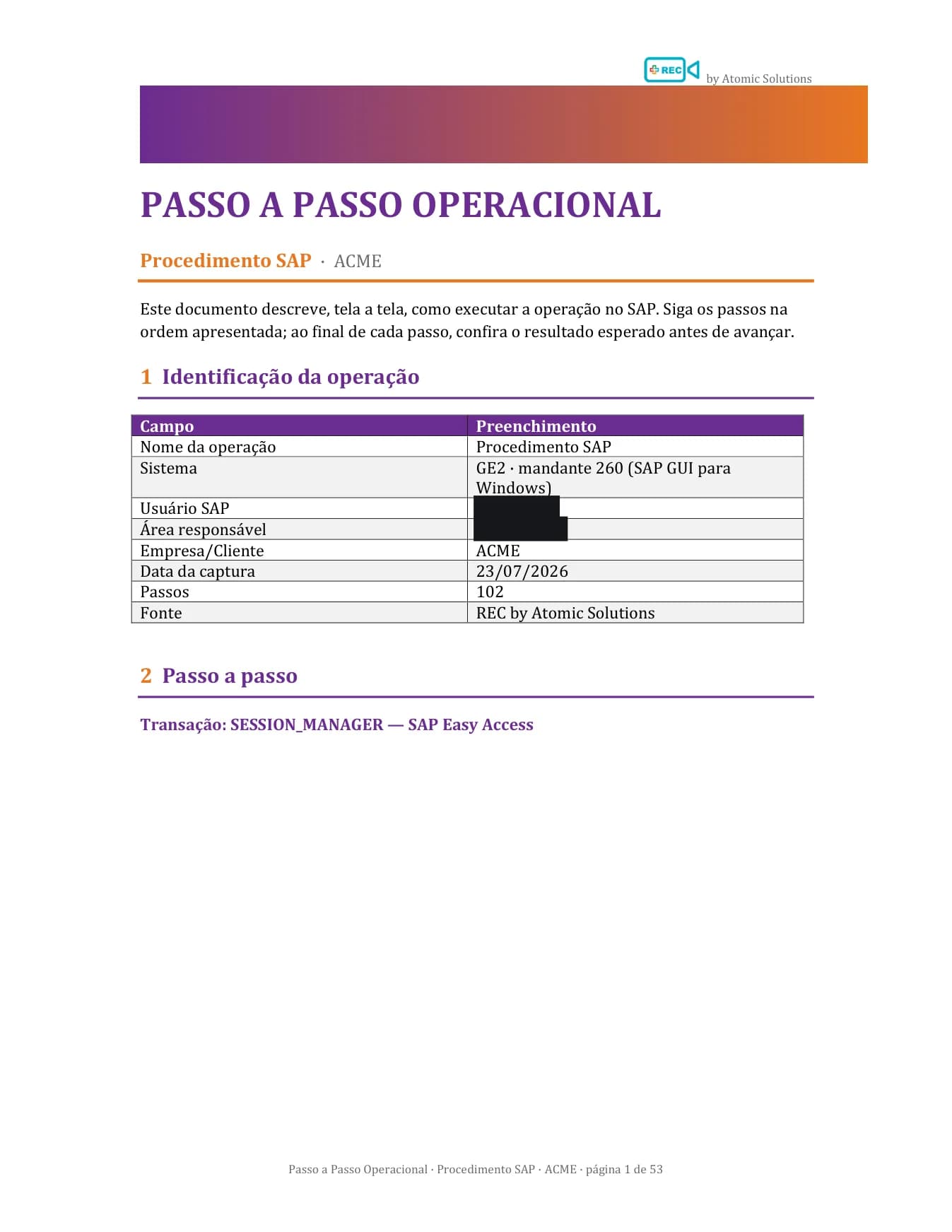
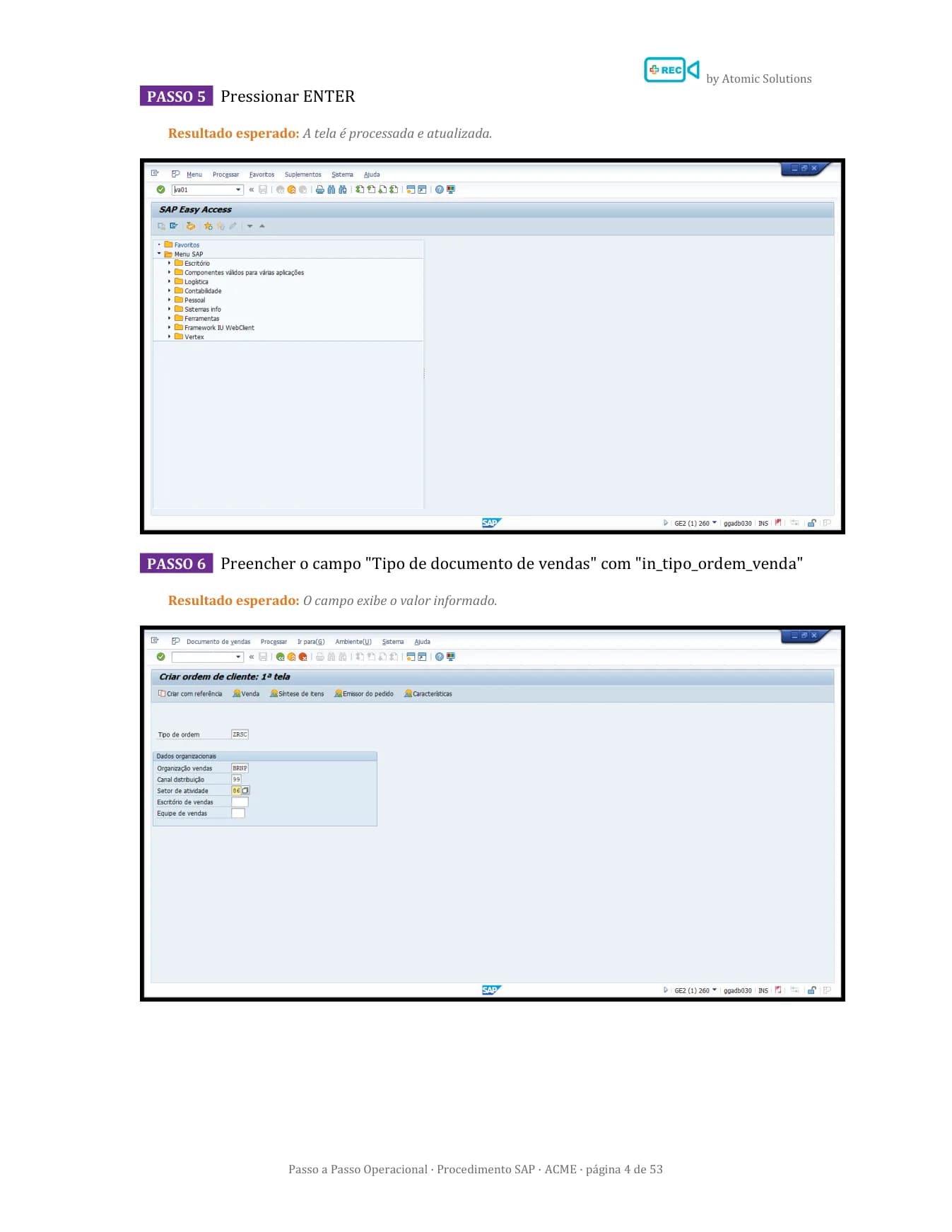
While you work, REC writes the step-by-step guide: every click becomes a numbered step with a description, expected result and a screenshot with the action highlighted. Exported to Word or PDF, in your language. Ready for training, audits and testing.
A ready-made manual in Word or PDF
A formatted document with a cover, operation details and numbered steps. Ready to share by e-mail or file in your company's process repository.
Evidence for testing and audits
A screenshot of every action with the element highlighted, plus description and expected result. It is the record QA and auditors ask for, with no manual screen-pasting.
A modern Steps Recorder
Replaces the Windows Steps Recorder deprecated by Microsoft: the same simplicity, with a polished document, a screenshot editor and password masking.
Record from any source
SAP, browser or any Windows app: the same recording flow and the same document at the end.
SAP GUI
Recording via SAP GUI Scripting, with real transaction and field identification. Generates documentation and scripts in Python, JavaScript and Java.
Documentation + scriptsBrowser
Edge or Chrome with a dedicated REC profile. Generates documentation and Playwright or Selenium scripts. Passwords never leave the browser.
Documentation + scriptsDesktop and full screen
Any Windows app, including Java, or the entire monitor with steps grouped by application. Full documentation, zero configuration.
DocumentationDocumentation and automation from a single recording
From the first click to a finished document and script, REC handles the repetitive work in any application your team uses.
Smart recording
Capture clicks, inputs and commands in SAP GUI, in your browser or in any Windows app, in real time, while you run the process as usual.
Scripts in Python, JavaScript and Java
SAP GUI Scripting, Playwright or Selenium: every recording becomes a script in the language your team already uses, ready to version, edit and plug into your pipeline.
Screenshot editor
Redact, blur, highlight, arrows, crop and text over the image: protect sensitive data and polish the document before sharing it.
Sessions and auto-draft
Save a recording as a .rec file and resume the review later. If anything crashes, REC recovers your unsaved steps.
Reliable replay
Re-run recorded flows as many times as you need, across environments and clients, with consistent results.
100% standalone and secure
A fully independent tool: install it and run it directly on your machine, with no external platform dependencies. Credentials and business data never leave your environment.
Runs locally.Credentials never leave your environment.
Built to clear security and IT review at companies running SAP: REC is a standalone workstation application - no cloud platform, no mandatory integrations and no data leaving your perimeter.
100% local execution
Installs and runs locally, like any IT-approved software - no external server, no cloud agent.
Credentials out of reach
Login still happens in SAP GUI itself. REC never collects, stores or transmits usernames and passwords.
Passwords masked at the source
In web mode, password fields become ••• in descriptions and generated scripts; on desktop, the region is covered in the screenshot itself.
Data stays in your perimeter
Scripts, documentation, screenshots and logs are generated and saved on the machine itself. Business data remains in your environment.
No external platforms
Recording, script generation and documentation happen entirely on the workstation - no step depends on third-party services.
Download REC
Fill in your company details to unlock the download on the Microsoft Store.